> ## Documentation Index
> Fetch the complete documentation index at: https://docs.flatpeak.com/llms.txt
> Use this file to discover all available pages before exploring further.
# Tariff structure selection
> Customer selects their tariff from a Flatpeak-provided library.
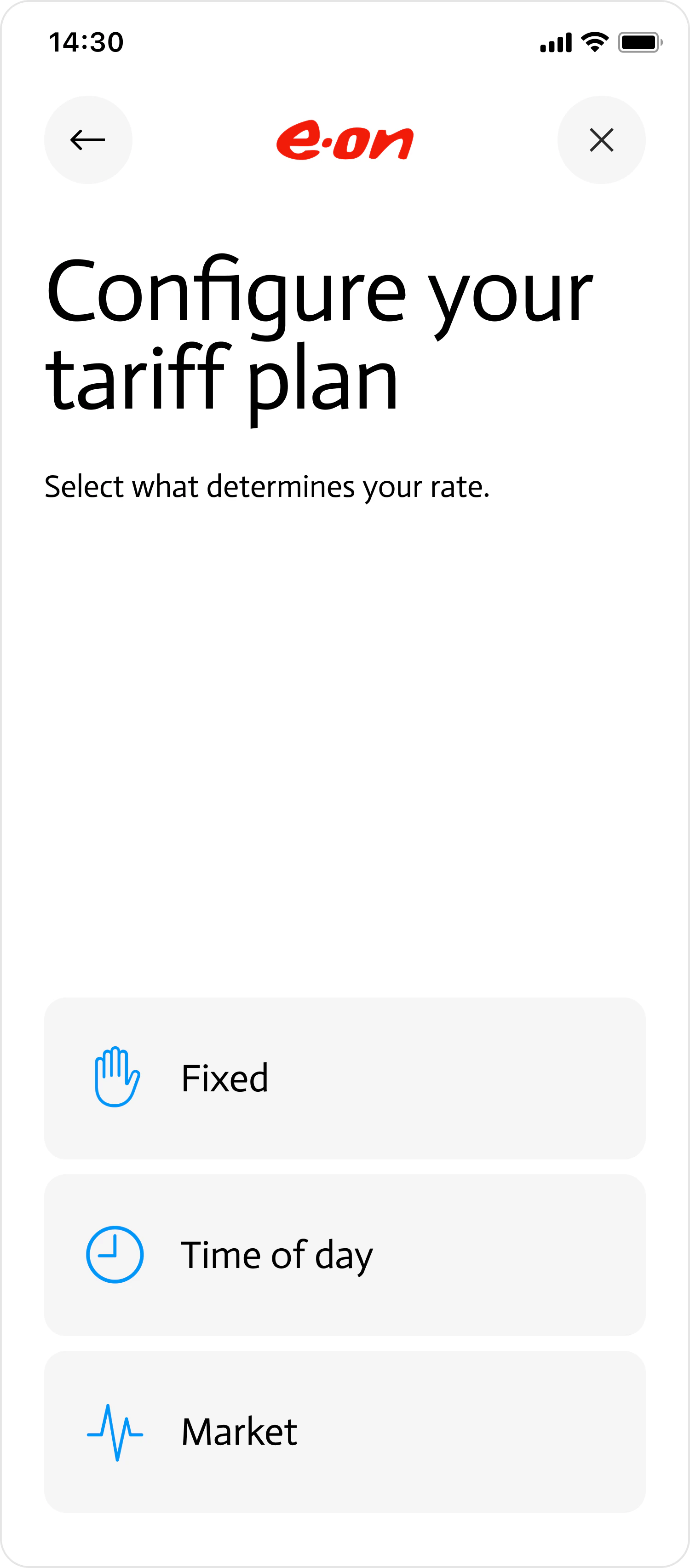
If the customer hasn't logged in to their energy provider or selected a tariff from the library (e.g., if Flatpeak doesn't have it or it's missing), Connect will try to gather the tariff information by asking a series of questions, starting with the tariff structure.
On this page, the customer can choose from three options:
| Option | Description |
| :------------ | :---------------------------------------------------------------------------------------------------------------------------------------------------------------------------------------------------------------------------------------------------------------------------------------------------------------------------- |
| `FIXED` | Customer will be requested to input their fixed (flat) tariff rate. |
| `TIME_OF_DAY` | Customer will be requested to input their variable tariff rate. |
| `MARKET` | Connect will automatically detect the customer's market rate using their postal address. It will then provide the customer with an option to indicate what fees and/or surcharges they are paying to their provider on top of that rate. |
| `ADVANCED` | Enables you to build a custom page where your customer can input complex tariff structures — including seasonal rates, special days, consumption tiers, and more. If you plan to use this option, contact support for integration guidance. This option is currently in preview and not yet generally available. |
 ```json Connect response theme={"system"}
{
"connect_token": "cot_6587fa4362341be5b524de3b",
"route": "tariff_structure_select",
"direction": "IMPORT",
"live_mode": false,
"data": {
"provider": {
"id": "prv_65de304bba73636872c17c11",
"display_name": "E-ON",
"logo_url": "https://s.flatpeak.com/73636872c17c11.png"
},
"options": [
"FIXED",
"TIME_OF_DAY",
"MARKET",
"ADVANCED"
]
}
}
```
```json Your POST to Connect theme={"system"}
curl --request POST \
--url https://connect.flatpeak.com \
--header 'Content-Type: application/json' \
--data '{
"connect_token": "cot_6587fa4362341be5b524de3b",
"route": "tariff_structure_select",
"data": {
"options": [
"MARKET"
]
}
}'
```
When you POST the response, Connect may return any of these [validation errors](/guides/system/errors):
| Error Code | Error Description |
| ---------------------- | -------------------------------------------- |
| `option_invalid` | The options array can only contain one item. |
| `option_not_supported` | Unsupported option parameter XX. |
| `data_json_invalid` | Data does not conform to the JSON schema. |
```json Connect response theme={"system"}
{
"connect_token": "cot_6587fa4362341be5b524de3b",
"route": "tariff_structure_select",
"direction": "IMPORT",
"live_mode": false,
"data": {
"provider": {
"id": "prv_65de304bba73636872c17c11",
"display_name": "E-ON",
"logo_url": "https://s.flatpeak.com/73636872c17c11.png"
},
"options": [
"FIXED",
"TIME_OF_DAY",
"MARKET",
"ADVANCED"
]
}
}
```
```json Your POST to Connect theme={"system"}
curl --request POST \
--url https://connect.flatpeak.com \
--header 'Content-Type: application/json' \
--data '{
"connect_token": "cot_6587fa4362341be5b524de3b",
"route": "tariff_structure_select",
"data": {
"options": [
"MARKET"
]
}
}'
```
When you POST the response, Connect may return any of these [validation errors](/guides/system/errors):
| Error Code | Error Description |
| ---------------------- | -------------------------------------------- |
| `option_invalid` | The options array can only contain one item. |
| `option_not_supported` | Unsupported option parameter XX. |
| `data_json_invalid` | Data does not conform to the JSON schema. |