> ## Documentation Index
> Fetch the complete documentation index at: https://docs.flatpeak.com/llms.txt
> Use this file to discover all available pages before exploring further.
# Data sources and coverage
When you [integrate Flatpeak into your app](/guides/connect) and your customer connects their tariff, Flatpeak automatically selects the best available data source, or combination of sources, to obtain their electricity price.
## Flatpeak tariff data sources
| Source | Description |
| ------------------------------------------------------------- | ---------------------------------------------------------------------------------------------------------------- |
| [Provider (supplier) integrations](/guides/sources/providers) | Flatpeak reads the customer’s energy price directly from their provider via real-time API integration. |
| [Market integrations](/guides/sources/market-rates) | Price is derived from a relevant market index. |
| [Grid fees](/guides/sources/grid-fees) | Flatpeak maintains a database of transmission charges and automatically applies them when required. |
| [Price forecasts](/guides/sources/price-forecasts) | When the energy price is not yet available, Flatpeak automatically fills missing periods with forecasted values. |
| **User input** | The customer enters their tariff manually. Used only when other sources are not available. |
## Tariff makeup scenarios
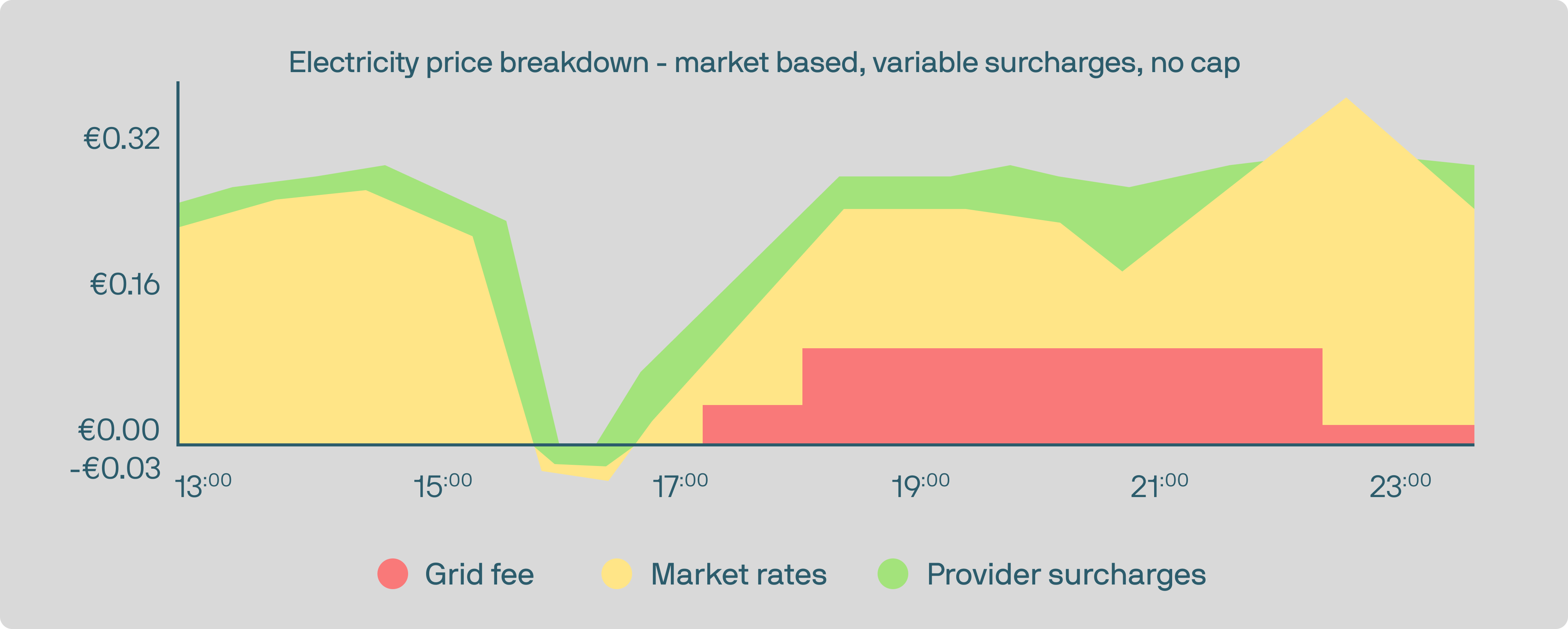
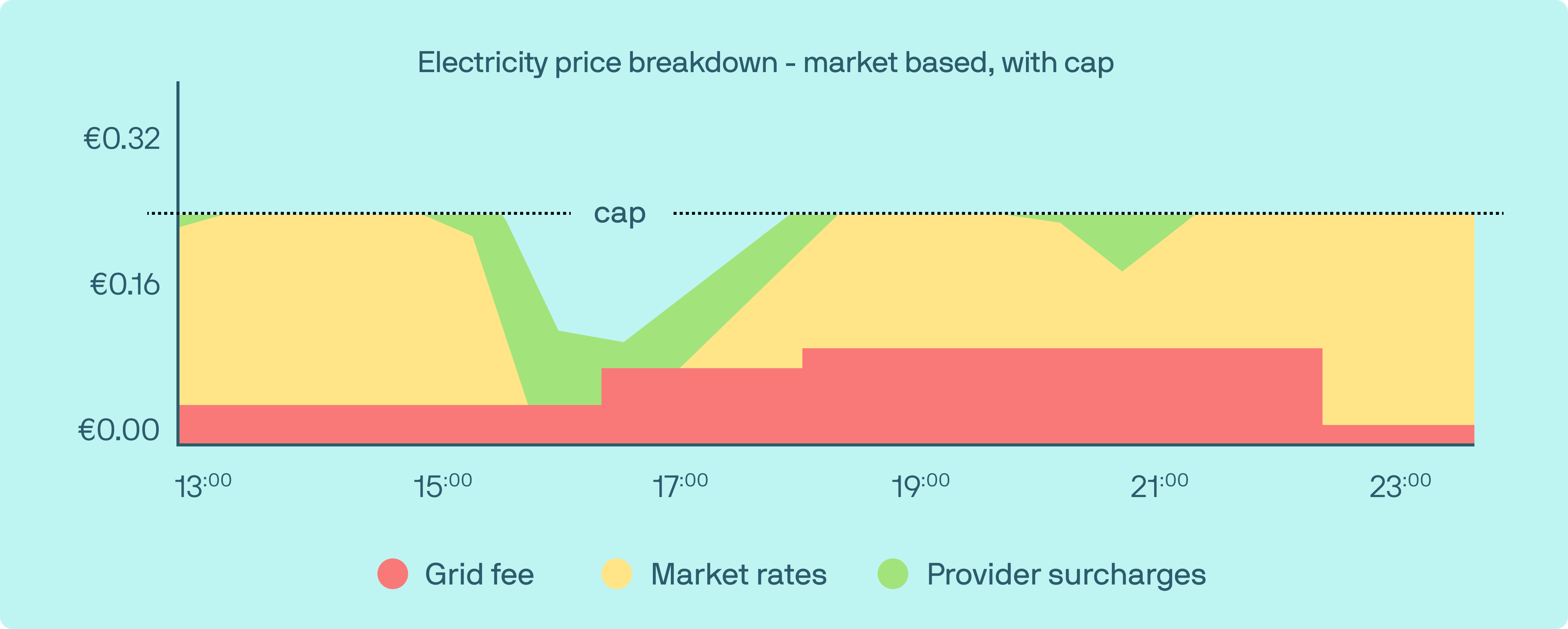
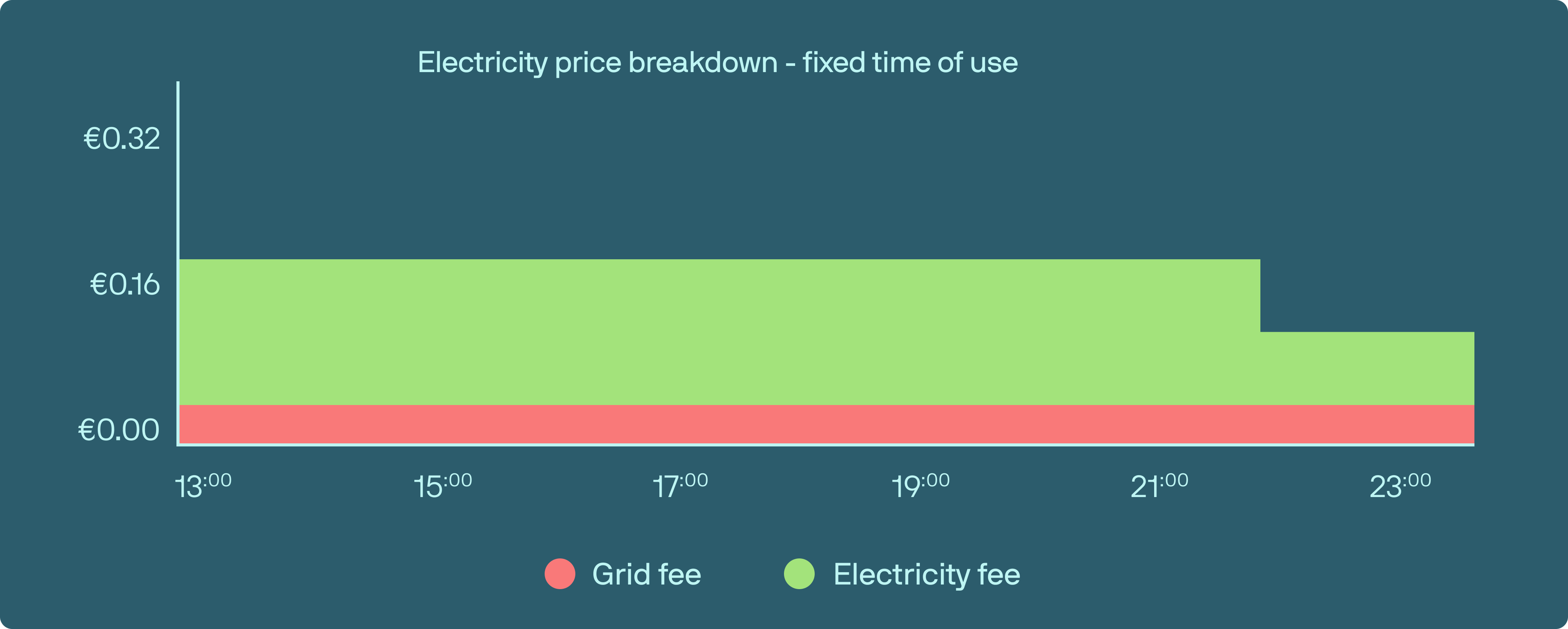
The illustrations below highlight the most common ways an electricity price is composed. They show how different elements, such as market rates, caps, fixed time periods, and grid fees, combine to form the final price your customer sees.
 ## Tariff connection options
Flatpeak automatically identifies the best way to obtain the customer’s energy price based on local market structure and source availability. The following discovery methods are used:
| Data connection type | Description |
| -------------------- | -------------------------------------------------------------------------------------------------------------------------------- |
| `DIRECT` | Instant authenticated connection to the customer's energy provider via API integration. |
| `MARKET` | When the tariff includes market-based pricing, Flatpeak automatically maps the correct market source to the customer address. |
| `LIBRARY` | The customer selects their tariff from the Flatpeak maintained library. Tariffs may be flat, fixed time of use, or market-based. |
| `MANUAL` | The customer enters their price manually. Used only when other options are not available. |
Learn more about how tariff connection works in the [How Connect works](/guides/connect/architecture) guide.
## Tariff connection options
Flatpeak automatically identifies the best way to obtain the customer’s energy price based on local market structure and source availability. The following discovery methods are used:
| Data connection type | Description |
| -------------------- | -------------------------------------------------------------------------------------------------------------------------------- |
| `DIRECT` | Instant authenticated connection to the customer's energy provider via API integration. |
| `MARKET` | When the tariff includes market-based pricing, Flatpeak automatically maps the correct market source to the customer address. |
| `LIBRARY` | The customer selects their tariff from the Flatpeak maintained library. Tariffs may be flat, fixed time of use, or market-based. |
| `MANUAL` | The customer enters their price manually. Used only when other options are not available. |
Learn more about how tariff connection works in the [How Connect works](/guides/connect/architecture) guide.