

From the list
Returns the list of energy providers that serve the postal address provided earlier. Customer can select their current provider. If customers find their provider missing from the list, they can select the 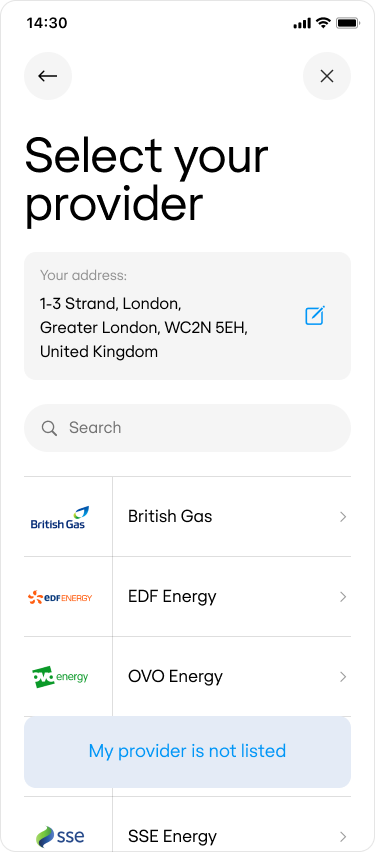
PROVIDER_MISSING action.- Preview
- Code
Manual entry
In the rare event that a provider’s name was not in the list on the previous page, the customer can indicate this and enter the name of their provider manually.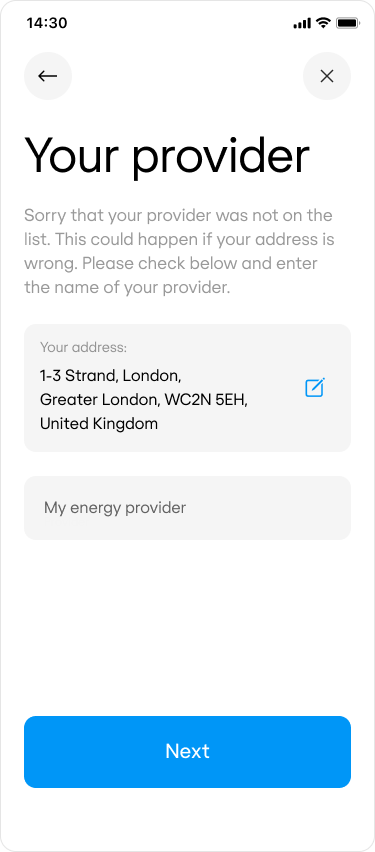
We advise you to render the
postal_address object on the page and include an action button that will enable the customer to change their address - often, the provider is missing from the list because the address is wrong.- Preview
- Code