
| Action | Result |
|---|---|
SAVE | Saves the tariff and completes the session. |
EDIT | Restarts the flow from the Provider Selection page. |
DISCONNECT | Disconnects the tariff and completes the session. |
Required pages
Tariff summary display & tariff management
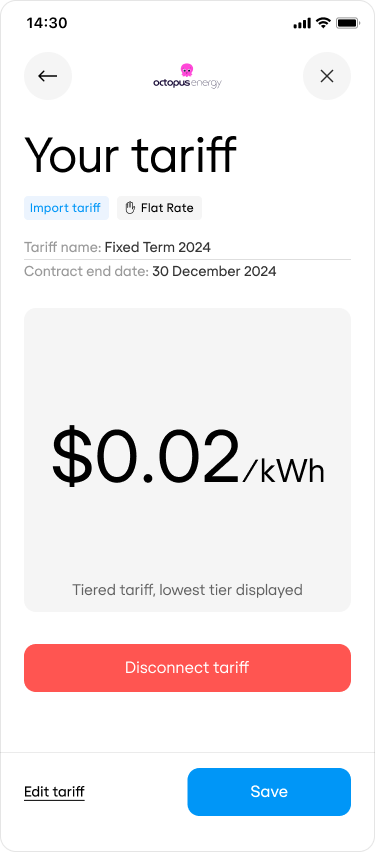
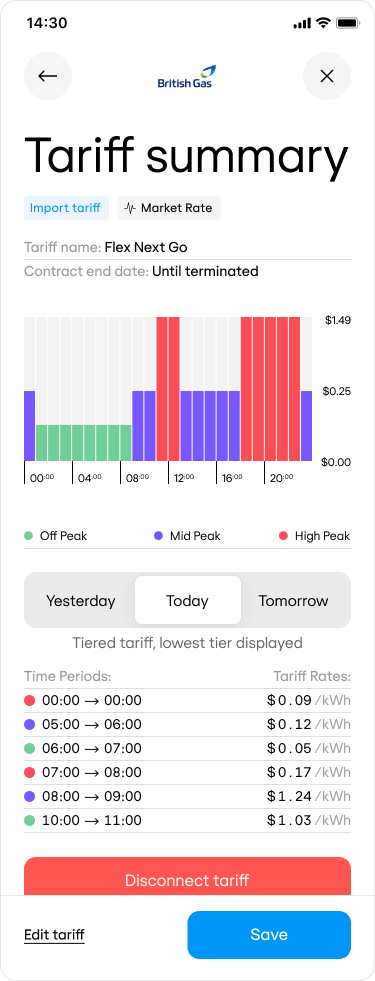
Displays tariff summary and provides controls to manage tariff connection.
Once the customer’s tariff has been captured, they will be shown its summary on the final page, where they can review, update, or disconnect it.
Page actions explained:
The tariff summary page has two versions, the choice of which depends on the tariff’s structure. Connect will automatically select the correct version of the page.